How an AI receptionist works
An AI receptionist is an intelligent virtual assistant that answers phone calls, understands what customers are asking for and gives relevant answers in real time. It can automate a significant part of reception work, from providing information about services to taking booking requests and transferring calls to the right person.
Unlike a traditional phone system, which works from preset menus, an AI receptionist can interpret natural language and adapt the conversation to what the caller says. Customers can therefore communicate naturally, without having to follow complicated steps or wait for a human agent to become available.
For companies, this technology means more efficient call handling, shorter waiting times and a better experience for customers. To understand how an AI receptionist works, it is important to look at how it turns a phone conversation into a concrete action.
From the customer's voice to a concrete action
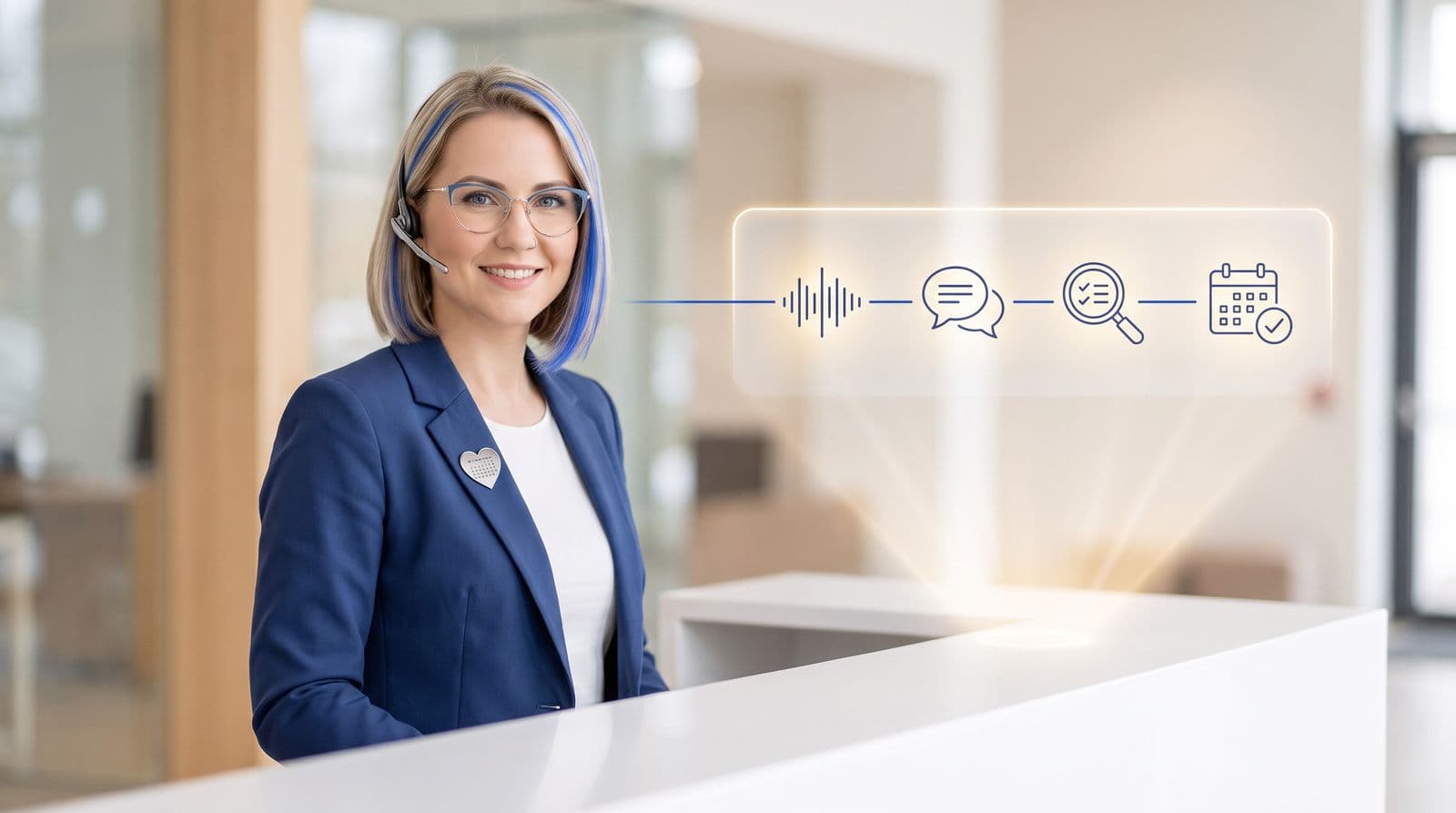
An AI receptionist starts working the moment the customer places a phone call. The system answers the call, processes the caller's voice and identifies the intent behind the request. Based on the information it obtains, it determines what answer to give or what action to carry out.
The process involves several stages that work together to create a fluent and useful conversation.
1. Capturing and interpreting the voice
When the customer speaks, speech recognition technology converts the audio signal into text. This process allows the system to identify the words spoken and analyse the content of the message.
For example, if a customer says "I'd like to book an appointment for tomorrow morning", the AI receptionist identifies that the request is about an appointment and extracts the relevant information, such as the preferred date and time slot.
2. Identifying the customer's intent
Once the words have been recognised, the artificial intelligence analyses the context of the conversation to determine what the caller wants to achieve. They may ask for information about opening hours, ask about prices, want an appointment or ask to speak to a member of staff.
The system is not limited to spotting keywords; it can interpret the overall meaning of the message. Different wordings that express the same need can therefore lead to a similar answer.
3. Checking the available information
Depending on the request, the AI receptionist can consult the information configured in the system or access integrations with the applications the company uses. For example, for a booking request, it can check availability in the calendar, if this feature has been implemented.
Access to up-to-date data is essential for giving correct answers. A well-configured system must distinguish between information it can confirm and information that requires an employee to step in.
4. Carrying out the right action
After identifying the intent and checking the information, the AI receptionist can answer directly or initiate an action. Depending on the features available, it can log a request, create an appointment, pass a message to the team or transfer the call to a human agent.
By connecting the conversation to the company's working tools, the AI receptionist becomes more than a system that gives answers. It can make a real contribution to day-to-day operations and to reducing repetitive tasks.
Action, response and fallback mechanism
An effective AI receptionist has to handle three essential components: the action it carries out, the response it gives the customer and the fallback mechanism used when it cannot resolve the request reliably.
The action: turning the request into a concrete result
The action is the step through which the system turns the customer's intent into a practical result. It can be a simple operation, such as providing the opening hours, or a more complex one, such as checking availability and recording an appointment.
For example, when a customer asks for an appointment, the AI receptionist can identify the service wanted, ask for the missing details, check the available slots and confirm the booking once it has been recorded successfully.
For the process to work correctly, the system must follow the rules set by the company and verify the result of the operation before announcing that it has been completed.
The response: clear communication with the customer
After each important stage, the AI receptionist must give a relevant and easily understood response. It can confirm a piece of information, ask for further details or explain the next step.
For example, if the appointment has been recorded successfully, the system can state the confirmed date and time. If the requested slot is not available, it can present alternatives, depending on the information it can access.
A well-worded response contributes to a natural experience and reduces the risk of misunderstandings. At the same time, the system must not confirm actions that have not been carried out successfully, nor present as certain information that it cannot verify.
The fallback mechanism: what happens when the AI cannot continue
Fallback is the mechanism through which the AI receptionist handles situations in which it does not understand the request, cannot find the necessary information or runs into a technical problem. Instead of giving an incorrect answer, the system can ask for clarification, suggest an alternative or transfer the call to an employee.
For example, if a customer asks for information that is not in the knowledge base, the AI receptionist can explain that this needs to be checked and can pass the request to a member of the team. If an integration with the booking system is not working, it should not confirm a booking without receiving the result of the operation.
A well-configured fallback mechanism keeps the conversation useful even when automation reaches its limits. It also allows the company to keep control over situations that require verification, special decisions or human intervention.
In conclusion, an AI receptionist works by combining speech recognition, intent interpretation, access to information and the execution of concrete actions. When these components are properly integrated and complemented by clear responses and a reliable fallback mechanism, the system can take over a significant part of reception work and can contribute to faster and more efficient communication with customers.
Frequently asked questions
How does an AI receptionist understand customer requests?
An AI receptionist uses speech recognition and artificial intelligence technologies to interpret the words spoken and identify the customer's intent. Based on the context of the conversation, it can provide information, ask for further details or initiate an action, such as recording a booking request.
What actions can an AI receptionist carry out during a call?
Depending on the features available and the integrations configured, an AI receptionist can check appointment availability, log requests, pass messages to the team and transfer calls to a human agent. The phone conversation can thus be turned into a concrete result, without every request needing an employee's direct involvement.
What happens if an AI receptionist does not understand the customer's request?
If it cannot interpret the request correctly or does not have the necessary information, the AI receptionist can ask for clarification, suggest an alternative or transfer the call to an employee. This fallback mechanism helps avoid incorrect answers and ensures the conversation continues even in situations where the system cannot resolve the request on its own.
Read next
 Efficiency and speed of response through AI call answering
 AI voice agent solutions for your business
 The modern solution for missed calls: a 24/7 AI receptionist
 Software for AI voice agents
 The revolution in customer care through AI call automation
 Multilingual AI receptionist
 AI receptionist pricing
 AI voice agent integrations from katti.ai
 How the AI receptionist booking system works
Zero missed calls. Zero lost customers.
Sign up, your booking page is live in minutes, and Katti takes the first call within one working day.